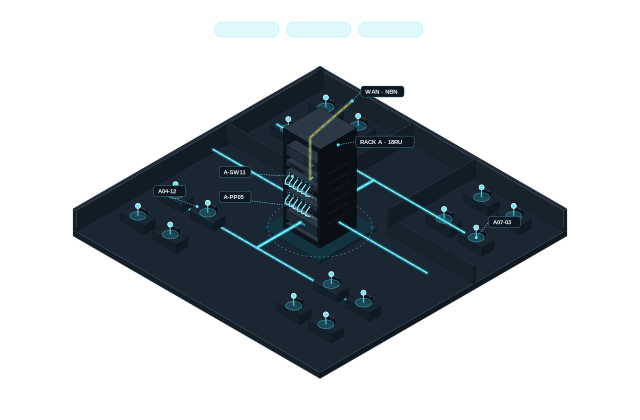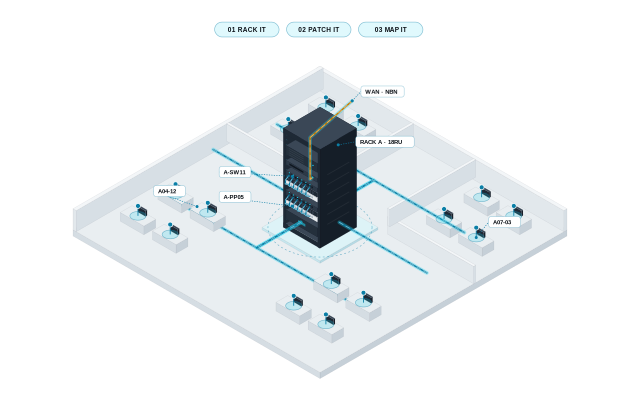
Network rack & cabling documentation softwareEvery cabinet.Every connection.
Document the network while you're standing in front of it. Racks, power, patching, outlets, links and site plans in one record that stays current from first survey to final handover.
As featured in SEN News — security and network infrastructure, documented at the rack ↗
This is the app. Not a screenshot.
The live CABVIX app, running in your browser on sample data. Follow the tour or click anything.
Every client, at a glance
The rack has changed. The record hasn't.
Most network records drift the day after they're written. CABVIX captures the record at the cabinet, so it's right the day you leave.
The schedule says PP1-02 → Office 2. The lead says otherwise. With CABVIX, the port, the outlet and the switch it lands on are one record, updated by whoever touched it last.
Port schedules that stopped matching the panel two moves ago.
Evidence nobody can find, attached to nothing.
Diagrams redrawn at the office, out of date on arrival.
One live record captured at the rack and kept current by every visit after.
Build it the way you'd rack it.
Pick real hardware from the library and drop it into the elevation. CABVIX checks the space, sizes it to the right U height and gives it a reference ID on the spot.
- HWReal models, real sizes2,550+ models from 115+ brands, each with its true U height, ports and power. See the library ↓
- ✓Drops that check themselvesA free run lights green; an occupied slot turns red, so nothing lands on top of something else.
- IDNumbered automaticallyEvery item gets an ID from its rack, type and lowest RU, like A-SW07, and its patching and power move with it.
The gear you rack most, always at the top.
Add hardware searches 2,550+ real models from 115+ leading brands, and your favourites sit first. Pick what’s racked in front of you and CABVIX fills in its ports, SFP uplinks, power outlets and rack height, all still editable, with its specifications alongside.
- ⌕Find it fastSearch by model number, or filter by type, brand, PoE or SFP uplinks.
- ☆Favourites firstStar the models you install most and they stay at the top of Add hardware. Each person keeps their own list.
- ✓Specs you can checkPoE budget, outlet types, console, power supplies and depth, with each model linked to the source of its specs.
- +Your own models tooSave anything not in the list as a company model your whole team can reuse. Or ask Patch for a model’s specs.
The Add hardware panel from the app, with the same 2,550+ models. Tap ☆ on any model to make it a favourite.
Brand names identify supported hardware and are trademarks of their owners. CABVIX isn’t affiliated with or endorsed by these manufacturers.
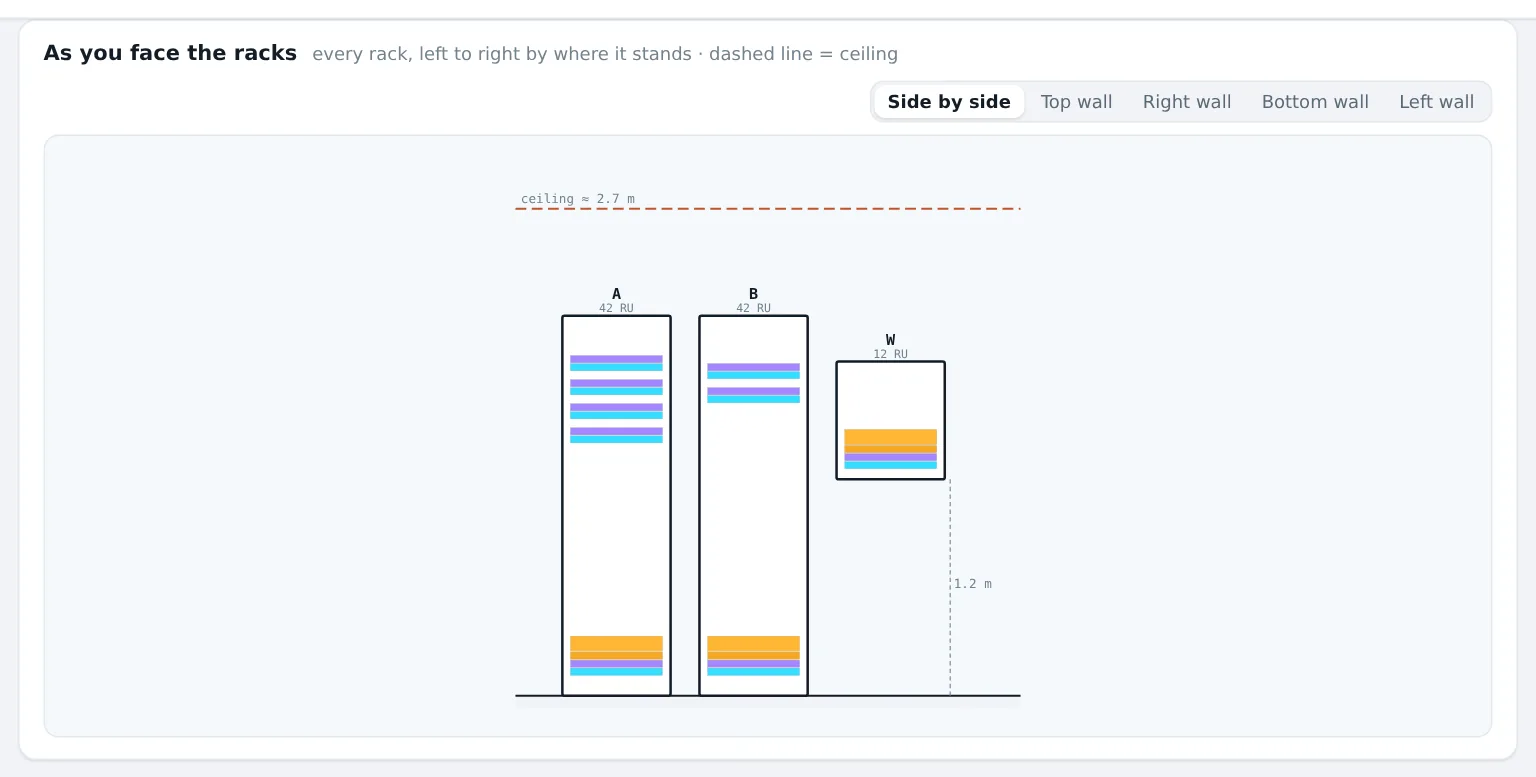
Plan the whole room. Before a rack arrives.
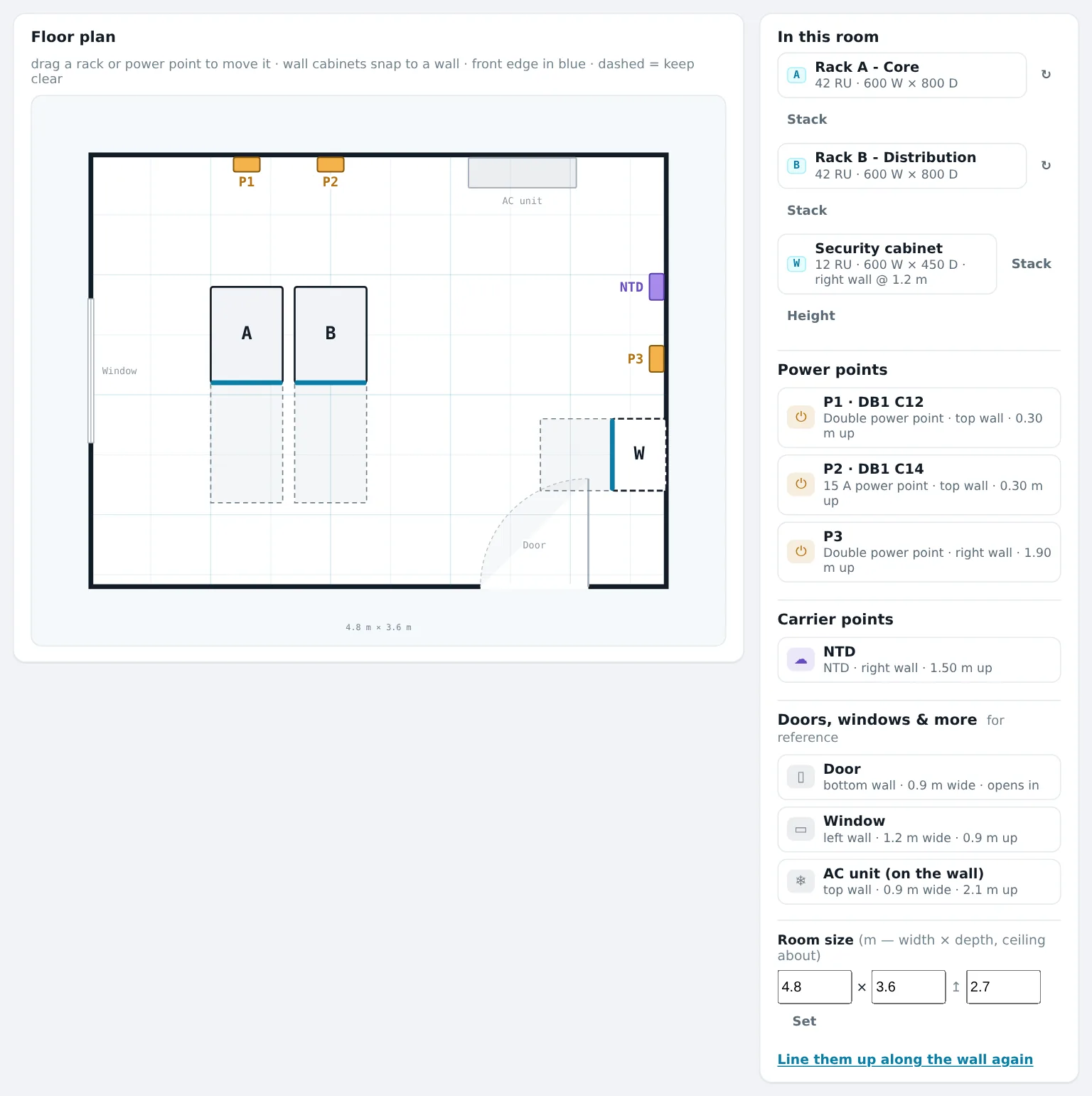
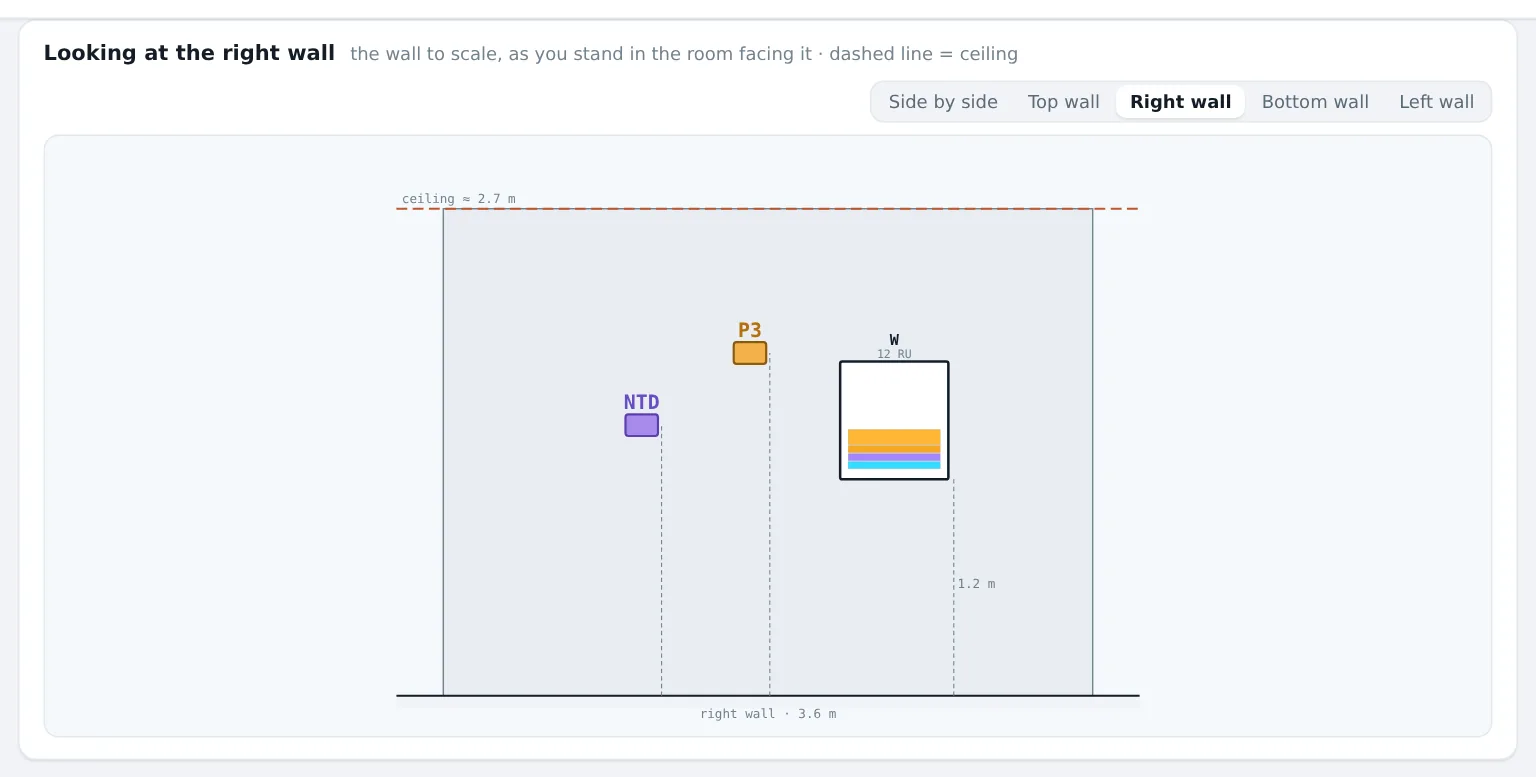
Room view draws every room to scale: the floor plan, each wall up to the ceiling, and the racks side by side. Start from an empty room and lay out a whole fit-out, and the plan becomes the as-built record as you go.
- 14The rack you'll actually buyFloor-standing, wall-mounted, open frame and more, 1 to 52 RU, with the width, depth, rails and doors drawn to scale. Or drop in one of your standard installs.
- ⌂Walls, ceiling and powerWall cabinets hang on a wall. Set the ceiling and CABVIX warns when a rack gets too close. Mark the power points, then pick one when you record a mains feed.
- ↗Where the carrier comes inMark the NTD, demarcation point or fibre lead-in with its service ID and the WAN link it serves.
- ▯Doors, windows and the restAdd the door (which way it swings), windows, AC units, columns and cupboards in light grey, so the plan looks like the real room. A rack parked in the door's swing gets flagged.
- ↻Move, turn, stackDrag racks into place, turn them, and stack them in any order. The space to keep clear in front of each rack stays drawn.
- Draw the roomSize, ceiling, door, windows, power and the NTD.
- Pick the racksType, height and depth, then place them.
- Fill themHardware from the library, at its true height.
- Connect itPower, structured cabling and patching.
- Hand it overLabels, health checks and the as-built.
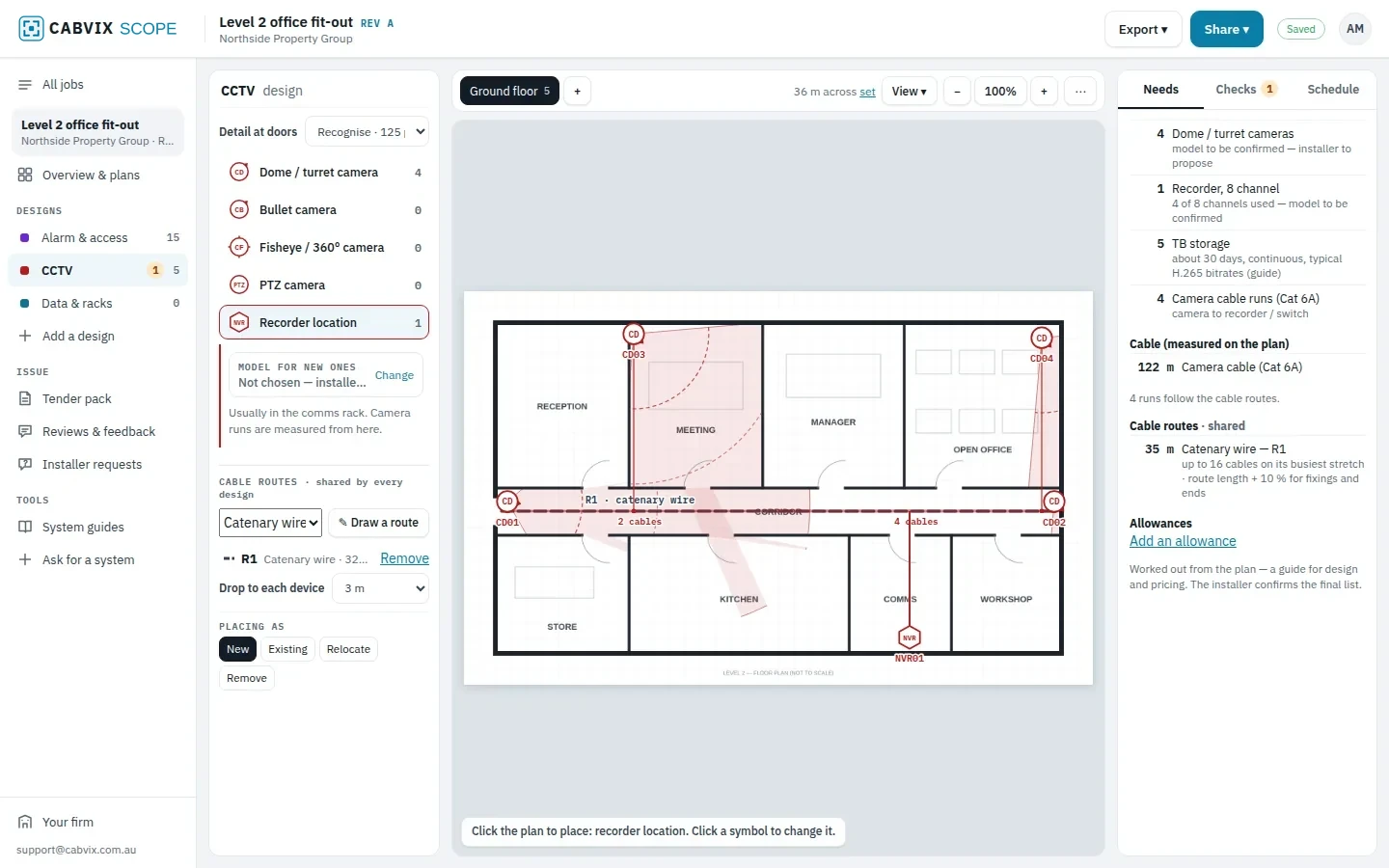
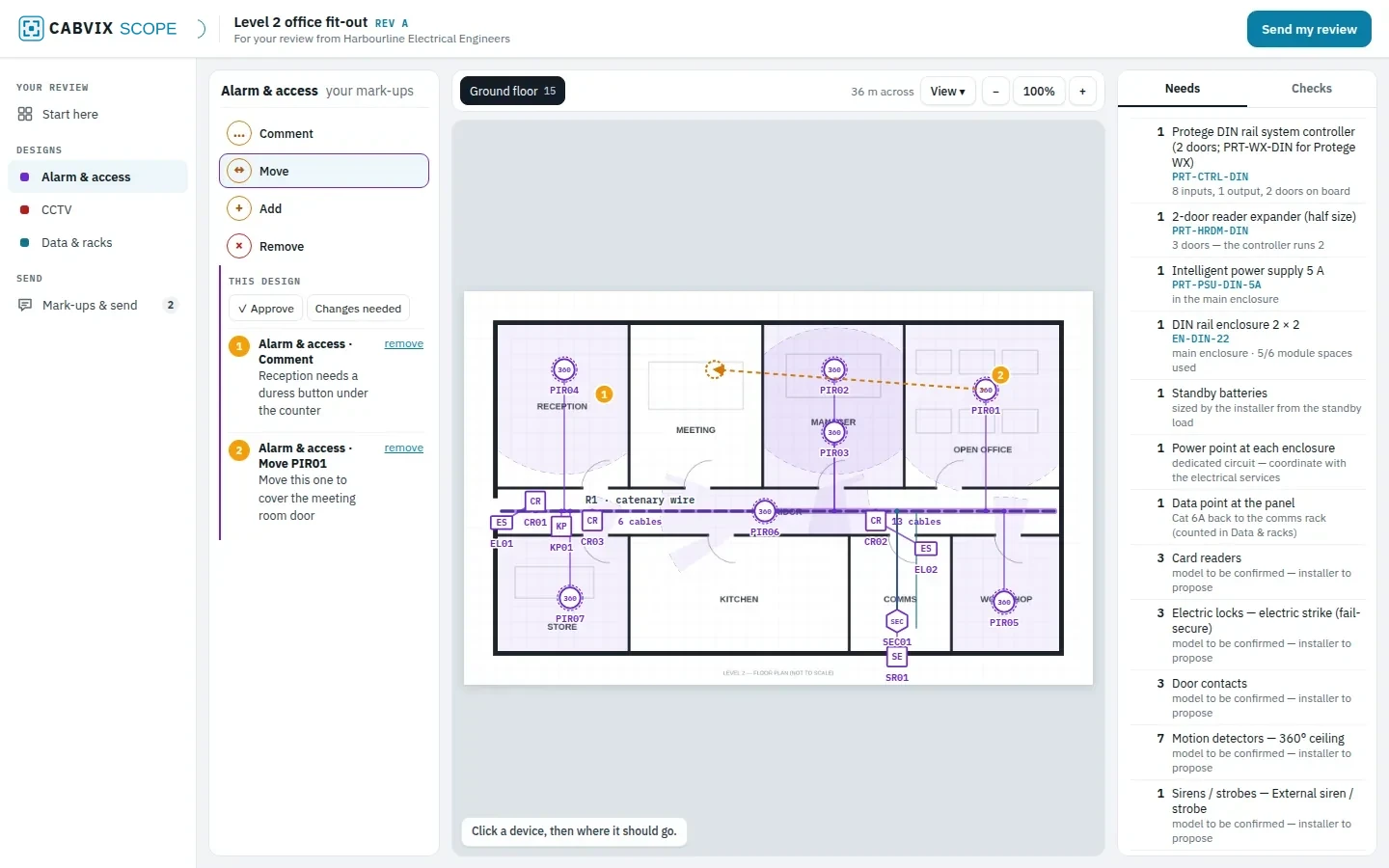
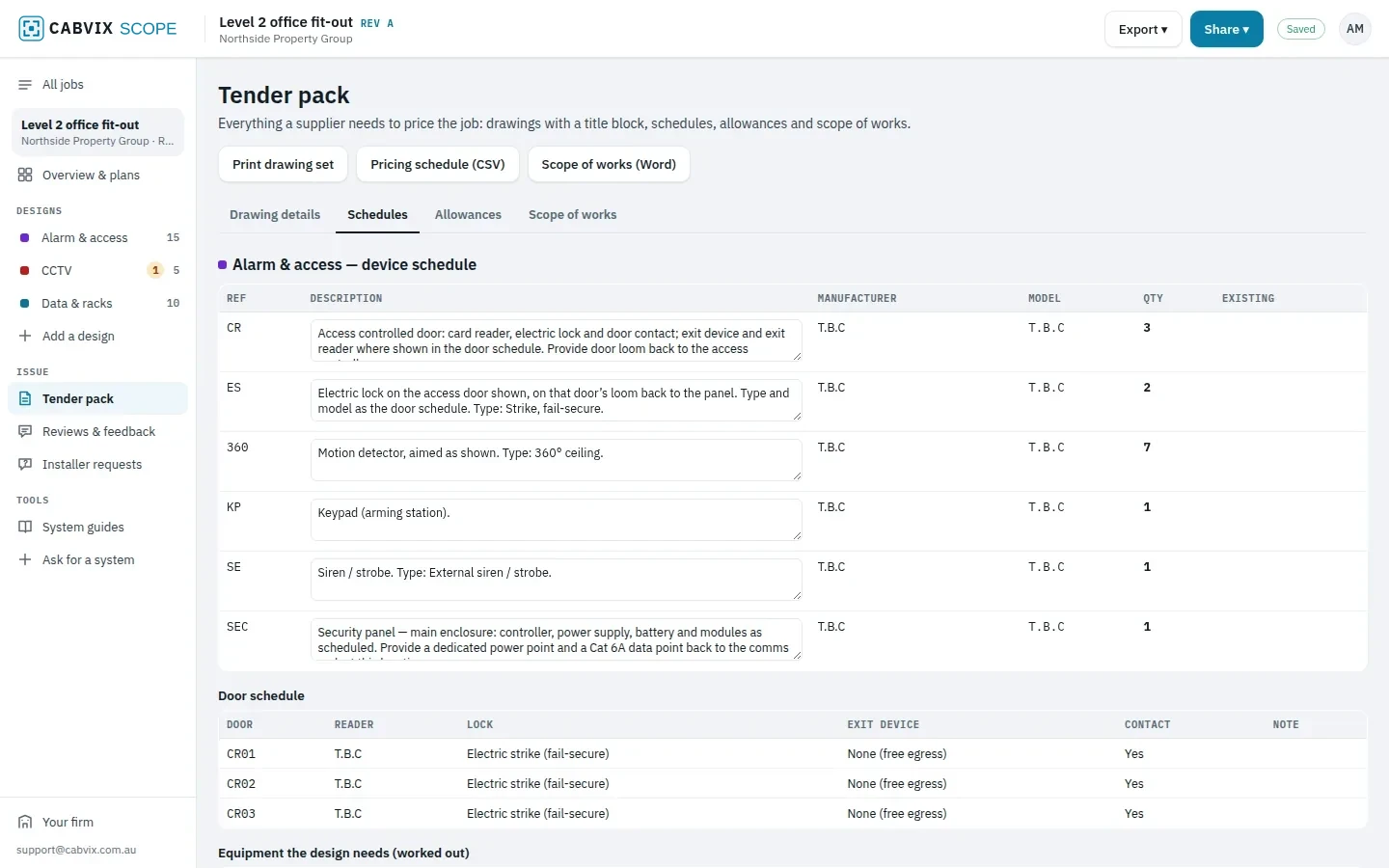
Specify it on the plan. Issue a tender pack.
CABVIX SCOPE is a new workspace for consultants, electrical engineers, architects and specifiers, releasing soon. Bring in the floor plan, mark up the systems a job needs, and the quantities, schedules and checks build themselves as you place each device.
- ▦One design per systemAlarm & access per manufacturer (Inner Range Integriti and Inception, ICT Protege, Tecom), Salto with its server and door licences, Ajax, CCTV, data & racks and PA, each on its own layer of the same plan.
- ✓The system's rules in the backgroundPanel inputs and modules, enclosure size, Salto nodes in reach, recorder channels and storage, ports and patch panels, amplifier load. A check comes with a button that fixes it.
- ◢Cameras that see what they really seeReal models with their published field of view, cones stopped by the walls on the plan, and the detail at each door.
- ═Cable routes per serviceDraw catenary wires, trays and conduit, say which services use each one, and cable lengths follow the routes.
- ↗Review, then hand overSend the client a link to mark up and approve each design. The installer opens the specification in their own CABVIX for free.
The tender pack prints the drawing set with a title block, device and door schedules, allowances and scope of works, with a pricing schedule (CSV), the scope as a Word file and DXF. Its figures are a planning guide; the design stays yours.
Every rack you've documented. Now in 3D.
There's nothing to model. CABVIX builds the 3D rack straight from the record you already keep, so it's always the rack as documented, down to the patch leads.
- ▣The real hardwareEach device in its RU in its maker's colours, with the equipment stickers you printed and the rack's QR sticker on the door.
- ≋Tidy up with VelcroRouted leads start out hanging loose. One press dresses them through the cable managers and straps the bundle.
- ⚡Round the backPower cords from PDU to device, UPS to PDU, and the power point, even one inside the back of the cabinet. Cut-aways and a depth check show whether that switch really fits.
- ⌂In its roomStand the rack in its room from Room view, with the walls, doors and the racks next to it. Save a picture for the quote or the handover.
One record. Every team at the rack.
The people who install it, support it and own it work from the same record, each with the access they need.
Stuck mid‑job? Ask Patch.
Patch is the guide built into CABVIX. Ask in your own words and he answers from the help guide and your own records: where an outlet lands, which racks still have gaps, how a tool works.
- ⌕Knows your records“Where is A08-05?” gets the rack, room, site and panel port. “What needs attention?” lists the gaps, with a button to fix them.
- ?The help guide, in your wordsHow to print labels, map an outlet from the field, or read a model’s specs, with links to the short how-to videos.
- ✦A tip now and thenA short tip for the screen you’re on, at most one every four minutes. Each tip shows once and disappears on its own.
- ✓Private, and yours to switch offNo AI service behind him and nothing you ask leaves CABVIX. Turn tips off or hide Patch; the setting is just for you.
Example conversation with sample records. In the app, Patch sits bottom-right on every screen.
From client setup to final report.
Each stage builds on what the last one captured, so nothing is typed twice. Tap a chip to open that screen in the live app.
Organise
Create the client and site, add rooms and racks, lay each room out to scale and choose Fit-out or Survey.
Build & connect
Place hardware by RU, wire power back to the GPO, patch every port and record outlets.
Map, trace & test
Read the live topology, trace any outlet to the switch and see what a failure would take down.
Hand over
Print QR labels, check documentation health and issue as-built docs the client can keep.
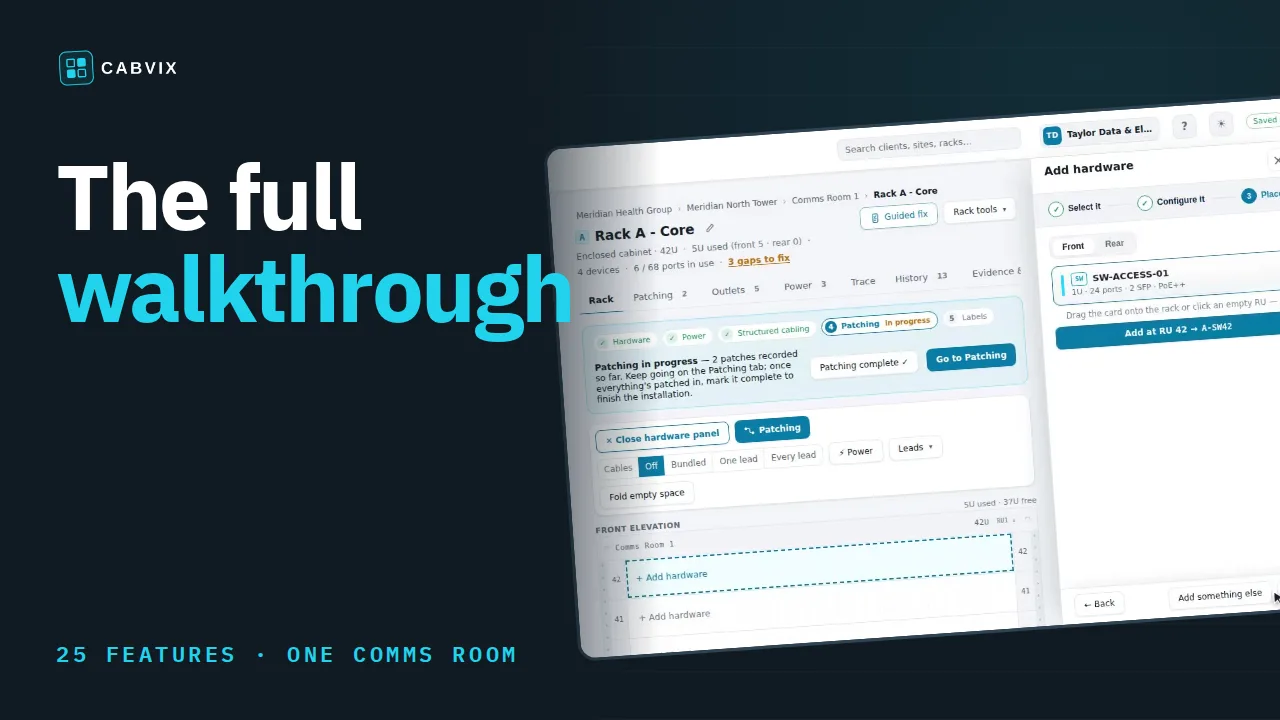
See it done. Then do it yourself.
Short screen recordings of real jobs in CABVIX, from setting up a site to the final report. Nothing to sign up for.
- Full walkthrough25 features in one comms room, with chapters
- 25 how-tosOne job each: hardware, power, patching, outlets, labels, reports
- Step by stepThe same jobs at half speed, so you can follow every click
- ShortsQuick looks, made for your phone
Every feature, what’s new and what’s next.
The full feature list, every release so far, the add-on modules we’re building, and a form to tell us what to build next.
See all 50 features →Predict failure points before they happen.
Fail a device, a whole rack, a link or mains power. CABVIX works out, in three layers, which outlets lose all network, which keep the local network but lose internet, and what keeps running on a UPS or backup link.
- ⚡Follows the real recordPower feeds, patch leads, structured cabling, uplinks, WAN circuits and VPNs, exactly as documented.
- !Ranks your weak pointsEvery single failure scored, plus checks for mains without a UPS, a single internet service or a single power supply.
- ✓Explain it to the clientSave scenarios for a maintenance window and hand over fault-impact and resilience reports.
Operational records deserve deliberate protection.
Every workspace sits behind sign-in, and your records are stored in Sydney. The demo on this page runs on fictional data, in your browser.
Australian owned
CABVIX is owned and operated by Securatech (TAS) Pty Ltd.
Sydney-hosted
Customer records are stored in Sydney. Delivery may use a global network.
Scoped access
Sign-in before any workspace loads, each organisation’s data kept separate, roles for your team, and restore points of the whole workspace.
Protected sign-in
Sign in with your Microsoft 365 or Google account, or with email and password. Two-step sign-in with any standard authenticator app (Microsoft Authenticator, Google Authenticator, 1Password, Authy and others), and owners can require it for their owners and admins. Passwords are stored only in hashed form, new passwords are checked against known data breaches, and every account confirms its email.
Access you control
Contractors see only the racks you approve, for the time you set, plus just the site details you choose. Partner sharing can be revoked any time, and scanning a sticker never grants access by itself.
Use your company’s Microsoft 365 or Google account, with its own security rules, plus CABVIX two-step sign-in on top. Or sign in with email and password.
Customer records are stored in Supabase’s Sydney region. The app is delivered through Cloudflare’s global network, and some providers we use may process limited data outside Australia; see the privacy policy. This is a summary, not a security certification. Read more on Trust & Security →
Start in the field. Scale across the team.
Free during the private beta, and plan pricing is coming soon. Extra users can be added; read-only users and contractors are free.
- Every tool, Pro ones included
- Racks, patching, power, structured cabling and outlets
- Label Studio: print your own QR stickers
- Contractor rack access by QR code
- Unlimited clients, sites and racks
- Your company standard on every job
- Order printed sticker sheets, delivered
- Reports, as-built PDFs and CSV exports
- Receive site transfers and partner-shared records
- Email support
- Everything in Standard
- Room view: plan whole rooms to scale
- Blast Radius and resilience reports
- Per-client standards
- Partner sharing with another CABVIX business
- Priority support and onboarding
- PSA / RMM and IPAM integrationsplanned
Writing the specification? CABVIX Spec has its own plans for consultants, engineers and architects, with pricing coming soon. Free for the installers and clients you share with. See Spec pricing →
Wear the rack. Meet Patch.
Tees, caps, mugs, a patch-panel backpack and sticker sheets in CABVIX colours, plus a Patch range. Made to order and posted anywhere in Australia for a flat $9.95.
Visit the shop →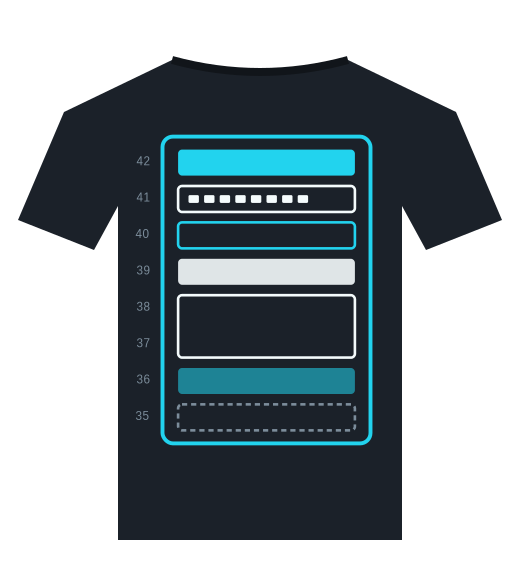

Join the
launch list.
CABVIX is releasing soon. Join the list and we’ll email you when it opens, plus the odd product update before then.
- Be first in when CABVIX opens
- Customer records stored in Sydney
- No payment details needed
Want to use it now? Request beta access →
The private beta is free. Tell us about your work and we’ll get back to you.