CABVIX / Solutions / Patch panel documentation
PATCH PANEL DOCUMENTATION
Every patch lead,
recorded in two clicks.
Spreadsheets of port numbers go stale the day someone moves a lead. In CABVIX you click the two ports, pick the lead colour and save — and the patch, the outlet behind the panel port and the switch port stay connected in one record.
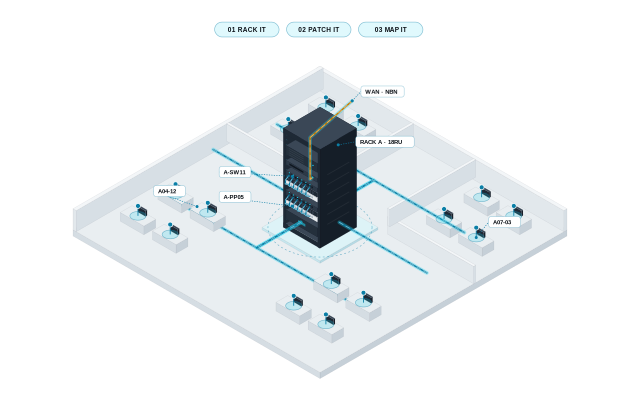
Click two ports, save the lead
The Patching tab shows the real faceplates of every panel and switch in the rack. Click a panel port, click a switch port, choose the lead colour and save. Patched ports light up in their lead colour on the rack elevation, so you can see at a glance what is connected.
- Lead colours, with an optional purpose from your company standard
- Cross-connects between two panel ports, with what they’re for
- Damaged ports marked so nobody patches into them again
Panel ports know where they go
Every patch panel port is either cabled to a wall outlet, marked spare or still to be identified. When you patch a port, CABVIX already knows which outlet is behind it, so a lead to a switch port tells you exactly which desk, room or device that switch port serves.
Leads that are actually the right length
On Pro, route leads through the cable managers and CABVIX works out each lead length from the route, then gives you a lead list by length and colour to order from.PRO
STEP BY STEP
How it works
- Open the rack’s Patching tabEvery panel and switch faceplate in the rack is shown.
- Click the first portA panel port or a switch port.
- Click the second portCABVIX shows what each end connects to.
- Pick the lead colour and saveThe lead appears on both faceplates and on the rack.
COMMON QUESTIONS
FAQs
What about a lead that goes from a wall outlet straight into a switch?
That’s a rogue cable. CABVIX lets you record it, flags it as a health issue and explains how to re-terminate it properly.
Can I record cross-connects between two patch panels?
Yes. Patching one panel port to another asks what the cross-connect is for and gives it a label such as XC-01.
Can I mark a port as faulty?
Yes. Mark one or more ports as damaged with a note; they show striped red so nobody patches into them, until someone marks them repaired.
KEEP READING
Related
TRY IT
See it in the real app.
The live demo on our homepage is the real CABVIX app running in your browser on sample data. CABVIX is releasing soon: join the launch list to be first in.