CABVIX / Solutions / Network rack documentation
NETWORK RACK DOCUMENTATION
Rack documentation
that matches the rack.
CABVIX records each rack the way it is built: front and rear elevations, every RU, the hardware in it, what each port is patched to, what powers each device and which wall outlets each panel feeds. Your team keeps it current from the rack itself.
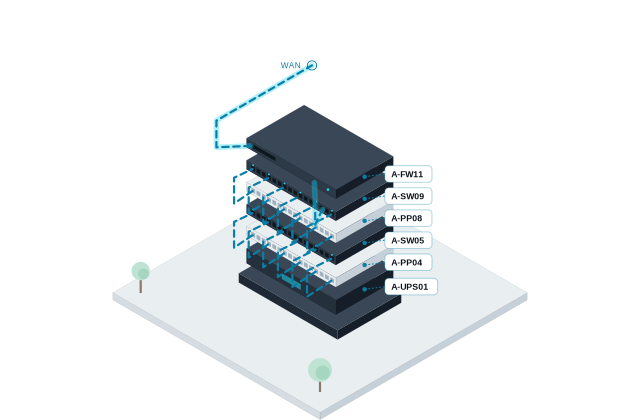
Build the rack the way you’d rack it
Pick the rack type and size, then drag hardware into its RU. The hardware library has 2,550+ real models from 115+ brands, so switches arrive with their real port count and SFP cages, and UPSs and PDUs with their power outlets, already filled in. Anything that isn’t in the library can be added as your own model and reused.
- Front and rear elevations, with shelf-mounted devices standing on their shelf
- Every RU drawn the same height, so the elevation lines up with the real cabinet
- Device IDs generated from rack and RU, like
A-PP08, ready for labels
Patching, power and outlets on the same record
Click two ports to record a patch lead and its colour. Record what powers each device, from the wall power point through the UPS and PDU. Link each patch panel port to the wall outlet it runs to. Because it is one record, a trace from a wall outlet follows it all the way to the switch port.
Patch leads can be drawn on the rack, and on Pro you can route them through the cable managers and get a lead list with lengths.PRO
Know what still needs doing
Every rack has a documentation health score. Missing power, panel ports that haven’t been identified, rogue cables, labels that are out of date and missing evidence all show up as gaps, and each gap has a button that takes you to the screen that fixes it.
The rack’s history keeps every change with who made it and when.
Search every record
The search box at the top of every screen looks through the whole workspace: clients, sites, rooms, racks, equipment, wall outlets, patch leads, network links, power feeds and each rack’s history, including notes, contacts and addresses. Type what is on the label, because outlet and device IDs match with or without dashes, so A0901 finds A09-01. Carrier names, circuit IDs and VPN peers are searchable too.
Every word you type must match, and words in quotes match as a phrase. The search page groups results by client and site, filters them by type and shows which field matched. Opening a result goes straight to the right screen: an outlet opens in Trace, a lead on the Patching tab, a link on the Links tab. Press / to search from anywhere, or Ctrl K (⌘K on a Mac) to go to anything: a screen, a tool, a record or an action.
STEP BY STEP
How it works
- Create the client, site and roomClients, sites and rooms are set up once and reused for every rack.
- Add the rackChoose from common rack types, or set one up in detail: width, depth, posts and doors.
- Place the hardwareSearch the library and drag each device into its RU.
- Record power and patchingClick a device’s power inlet and its source, then click two ports for each lead.
- Map the outletsSelect panel ports and turn them into wall outlets.
- Print labels and hand overPrint QR stickers from Label Studio and export the rack report as a PDF.
COMMON QUESTIONS
FAQs
Can I document an existing rack, not just a new fit-out?
Yes. Each site can be in Fit-out or Survey mode. Survey mode is for documenting what is already there, including mapping outlets from the field by toning out each jack and tapping its panel port.
Does it work on a phone at the rack?
Yes. CABVIX runs in the browser on a laptop, tablet or phone, and phones have a scan button that opens a CABVIX sticker’s record. There is nothing to install.
What if a device isn’t in the hardware library?
Add it as a custom item with its ports, height and power, and save it as one of your company’s models so the team can reuse it.
Can I search for a circuit ID or an outlet number?
Yes. Search covers every record, including outlet and device IDs (with or without dashes), carrier names and circuit IDs, notes and contacts. Results can be filtered by type and open straight on the right screen.
Can I see the rack in 3D?
Yes, on Pro. The 3D view is drawn from the same record: each device in its RU, patch leads with real plug ends, power cords at the back and a depth check.
KEEP READING
Related
TRY IT
See it in the real app.
The live demo on our homepage is the real CABVIX app running in your browser on sample data. CABVIX is releasing soon: join the launch list to be first in.