CABVIX / Solutions / Wall outlet documentation
WALL OUTLET DOCUMENTATION
Every wall outlet,
back to its panel port.
Structured cabling runs from a patch panel to a wall outlet. CABVIX records each run so that every outlet has an ID based on the panel port it lands on, a location, and a pin on the site plan.
Panel first, for a new fit-out
Select ports on the panel’s faceplate — shift-click a range — and turn them into single, double, triple or quad outlets, or split a range into outlets of a set size. Outlets can span two panels. Ports with no structured cabling are marked spare.
Outlet first, for an existing site
Walking a site you didn’t cable? Start from the wall: enter the outlet’s location and size, tone out each jack and tap the panel port it lands on. CABVIX asks first if that port already belongs to another outlet.
IDs that come from the panel
An outlet’s ID is built from the panel port it is cabled to — for example A08-12, or A08-11/12 for a double — so the label on the wall plate tells a technician where to look in the rack. Your company standard can choose a compact, full or sequential format, and any ID can be overridden.
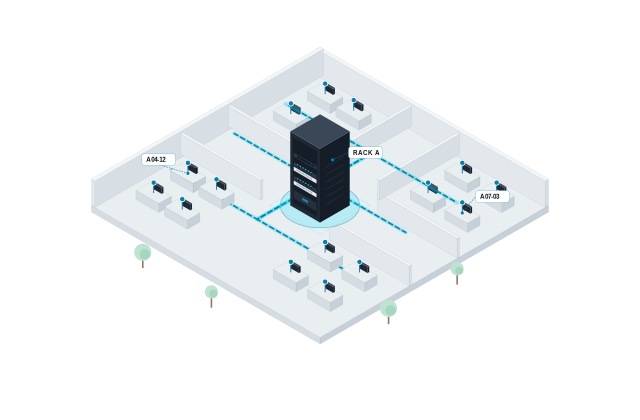
Place outlets on the site plan, and they show with the same IDs as the wall plates.
STEP BY STEP
How it works
- Open the rack’s Outlets tabEach patch panel’s faceplate shows which ports are cabled, spare or not identified.
- Select portsClick or shift-click the ports that run to one wall plate.
- Make the outletChoose Single, Double, Triple or Quad, and add a location.
- Place it on the site planDrop a pin so anyone can find it.
COMMON QUESTIONS
FAQs
Can I print wall plate labels?
Yes. Label Studio makes outlet stickers with one cell per jack, laid out like the plate, on A5 sticker sheets you print yourself or order printed.
What happens to ports I haven’t identified yet?
They are listed as a documentation health gap until each one is cabled to an outlet or marked spare.
Can a contractor update outlets on site?
Yes, if you give them edit access to that rack with the Outlets permission. Their changes are saved into your record with their name.
KEEP READING
Related
TRY IT
See it in the real app.
The live demo on our homepage is the real CABVIX app running in your browser on sample data. CABVIX is releasing soon: join the launch list to be first in.