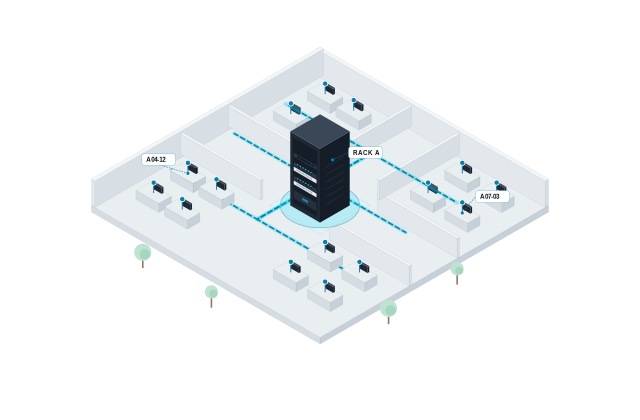
Topology that builds itself
Racks, uplinks between them, wireless links, VPNs and carrier WAN services with primary and backup roles are recorded as network links. The topology draws them, and each rack expands into its devices and the wall outlets behind each panel. Auto arrange lays it out for you.
Site plans with real IDs
Upload a floor plan and pin racks and outlets on it. Outlet pins show the same IDs as the wall plates, and you can keep several plans per site, such as one per floor.PRO
Rooms to scale
Room view draws each room to scale with its racks, walls, ceiling height, power points, carrier points, doors, windows and air conditioning, so you can plan a new comms room before a rack arrives.PRO
STEP BY STEP
How it works
- Record the linksUplinks between racks, WAN services and VPNs.
- Open TopologyExpand a rack to see its devices and outlets.
- Add a site planUpload the floor plan and drop pins.
- Plan the roomLay out racks and power points to scale (Pro).
COMMON QUESTIONS
FAQs
Can I export the diagrams?
Yes. Rack, site and client reports include the site plan with its pins and the topology, as PDF.
Does CABVIX discover the network automatically?
No. CABVIX documents the physical layer as your team records it; it doesn’t scan networks.
KEEP READING
Related
TRY IT
See it in the real app.
The live demo on our homepage is the real CABVIX app running in your browser on sample data. CABVIX is releasing soon: join the launch list to be first in.