CABVIX / Solutions / Handover & as-built documents
HANDOVER & AS-BUILT
Hand over a record
the client can use.
The job isn’t finished until the client has the record. CABVIX turns the racks, patching, outlets and site plans you documented on the job into PDF reports and as-built documents, with your company logo.
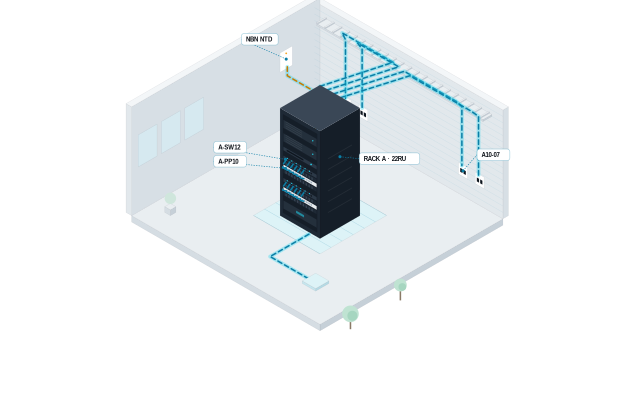
Reports from the live record
Export a rack, site or client report as a PDF: rack elevations, hardware, patching, outlets, power, the site plan with its pins and the topology. Reports always use your current records, so there is nothing to keep in sync.
As-built documents, pre-drafted
As-Built drafts the description of works from the site’s records for you to edit, and wraps it around the rack records ready to hand to the client.
Mark a fit-out complete when patching is finished, and CABVIX suggests what to do next — print the labels, take photos, sign off.
Labels on everything
Label Studio prints rack, equipment and outlet stickers with QR codes on A5 sheets, or you can order the sheets printed and delivered in Australia. Each sticker opens its record when scanned.
STEP BY STEP
How it works
- Finish the fit-out stepsHardware, power, structured cabling, patching and labels, tracked rack by rack.
- Add evidencePhotos and test results against each rack.
- Generate the as-builtEdit the drafted description of works.
- Export and sendPDF reports with your logo.
COMMON QUESTIONS
FAQs
Can the client keep using the record after handover?
Yes. You can transfer the whole site to the client’s own CABVIX workspace, or give their team access to it — the stickers keep working either way.
Does a CABVIX report certify the installation?
No. CABVIX documents what your team recorded. Testing and certifying cabling is done by qualified people with the right equipment, and you can attach their results as evidence.
KEEP READING
Related
TRY IT
See it in the real app.
The live demo on our homepage is the real CABVIX app running in your browser on sample data. CABVIX is releasing soon: join the launch list to be first in.