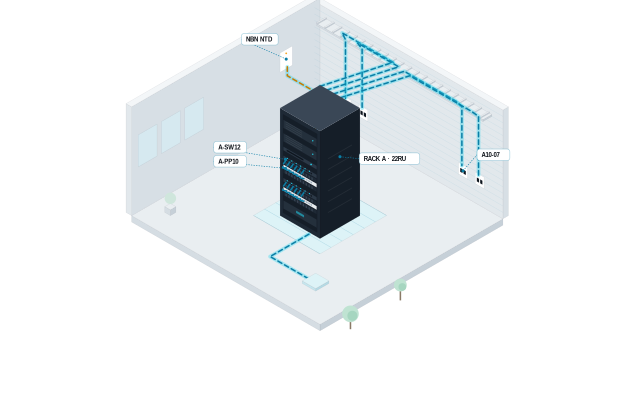
The record
- Rack elevations, front and rear, with every device and its ID
- Outlet schedule: every outlet, its ID, location and panel port
- Patching: every lead, both ends and colour
- Power: what feeds each device
- Uplinks and the carrier service
On site
- Every rack, device, panel port and wall plate labelled
- Labels match the record
- Spare ports marked
- Photos of each rack front and rear, and of the comms room
For the client
- Test results from your test equipment
- Site plan with racks and outlets marked
- Description of works
- How to get access to the record, and who keeps it current
Doing it in CABVIX
Each rack’s fit-out steps track hardware, power, structured cabling, patching and labels. Attach test results and photos as evidence, generate the as-built from the record, and export PDF reports with your logo. Then transfer the site to the client’s workspace, or give their team access.
COMMON QUESTIONS
FAQs
Should test results go in the handover?
Yes — they are the evidence the cabling performs. CABVIX stores them against the rack as evidence; it doesn’t produce or interpret test results itself.
KEEP READING
Related
What it doesHandover & as-built documentsHand over a client-ready record: rack elevations, patching, outlets, site plans and topology as PDF reports, with a pre-drafted description of works.Who it’s forElectrical & cabling installersDocument data cabling as you install it: panel ports to wall outlets, patching, power and labels, then hand the client a professional as-built record.GuideHow to label a network rackA practical method for labelling network racks, devices, patch panel ports and wall outlets so labels stay readable, unique and in step with the record.
TRY IT
See it in the real app.
The live demo on our homepage is the real CABVIX app running in your browser on sample data. CABVIX is releasing soon: join the launch list to be first in.